Features
Everything you need.
Nothing you don't.
Capture pristine screenshots of any public webpage with a single URL. No browser extensions, manual cropping, or complicated developer tools.
Features
Capture pristine screenshots of any public webpage with a single URL. No browser extensions, manual cropping, or complicated developer tools.
CORE CAPABILITIES
Paste any public webpage and generate a screenshot instantly.
Download high-resolution PNG, JPG, or PDF from a single render.
One-click browser frame with site URL. Pop-ups blocked, always.
Rendered at Retina resolution using a real Chrome browser.
By the numbers
Core capture
There's no configuration screen before you start. You paste a URL, click Generate, and the engine takes it from there. No viewport selection, no format picker, no quality slider — just the page you want, rendered the way a real browser would render it.
Under the hood, a headless Chromium instance navigates to your URL, dynamically waits for network activity to settle so lazy-loaded content can finish rendering, then captures the viewport at 1920×1080 at 2× device scale. You get Retina-quality output without asking for it.
Cookie banners and GDPR notices are blocked by default, so your capture shows the actual content of the page rather than a prompt you'd have to dismiss.
Export
Every capture produces a lossless PNG, an optimised JPG, and a high-fidelity PDF in a single job. You see all three on the result page — with file sizes — and download whichever fits your use case. There's no format decision to make before you start.
Full fidelity, no compression artefacts. The right choice when you need every pixel to be exact — design reviews, documentation, accessibility audits.
Significantly smaller file size with imperceptible quality loss at our compression setting. Useful when you're embedding the image in a document or sending it over email.
A 1:1 pixel-perfect wrap of your screenshot inside a PDF container. Ideal for attaching to emails, design briefs, or visual archiving without sacrificing layout quality.
Post-processing
Raw screenshots are fine for internal use. For anything you're sharing — a deck, a report, a social post — two extra options make a noticeable difference without requiring a design tool.
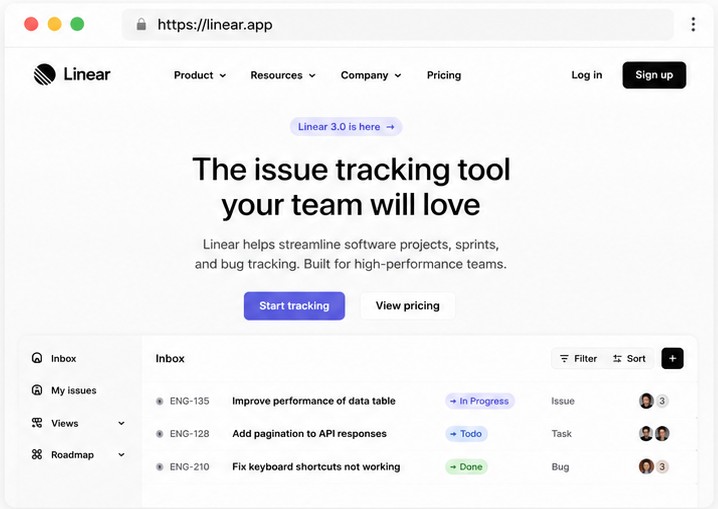
The browser mockup frame wraps your capture in a clean Chrome-style window surround: traffic light dots, an address bar, the URL. It immediately contextualises the image as a webpage rather than a flat screenshot, which matters when the audience doesn't know what they're looking at.
The address bar overlay does something more subtle: it stamps the source URL directly onto the image itself. Useful for research documentation, where you want the provenance of a capture to be self-evident even if someone strips the file metadata.
Wraps your capture in a browser chrome surround — window controls, address bar, the URL. Makes context obvious at a glance.
Overlays the captured URL directly onto the image — handy for research documentation where source provenance needs to be self-evident.
Cookie banners, GDPR notices, and newsletter overlays are intercepted before capture so you get the page content, not the prompt covering it.
Capture details
Every result page shows the technical parameters of the capture: viewport dimensions, device scale, and capture mode. It's not hidden in a settings panel — it's right there next to the download options.
This matters when you're troubleshooting why a capture doesn't look right, or when you need to document the exact conditions under which a screenshot was taken — something that comes up more often than you'd expect in legal, compliance, and research contexts.
CAPTURE DETAILS
Good to know
ELEGRAB captures publicly accessible pages. If a URL requires a login, sits behind a paywall, or redirects to an authentication screen, the engine will hit that wall the same way an anonymous browser would. You'll get a clear error rather than a blank or broken image.
The free tier allows five captures per day. That resets on a rolling 24-hour window, not at midnight. If you need more, pricing plans are in the works.
Paste any URL and have a screenshot in your hands in under ten seconds. Five captures free, every day.
Generate a screenshot